Cardputer_RF_2in1
注意:所有模块需要Bruce固件中使用,链接:[https://github.com/pr3y/Bruce/]
How to use 使用方法
Connecting and disconnecting
-
Install the antenna, round-tip antenna for NRF24, stubby chili antenna for CC1101.
先安装天线,圆头天线安装至NRF24,小辣椒天线安装至CC1101。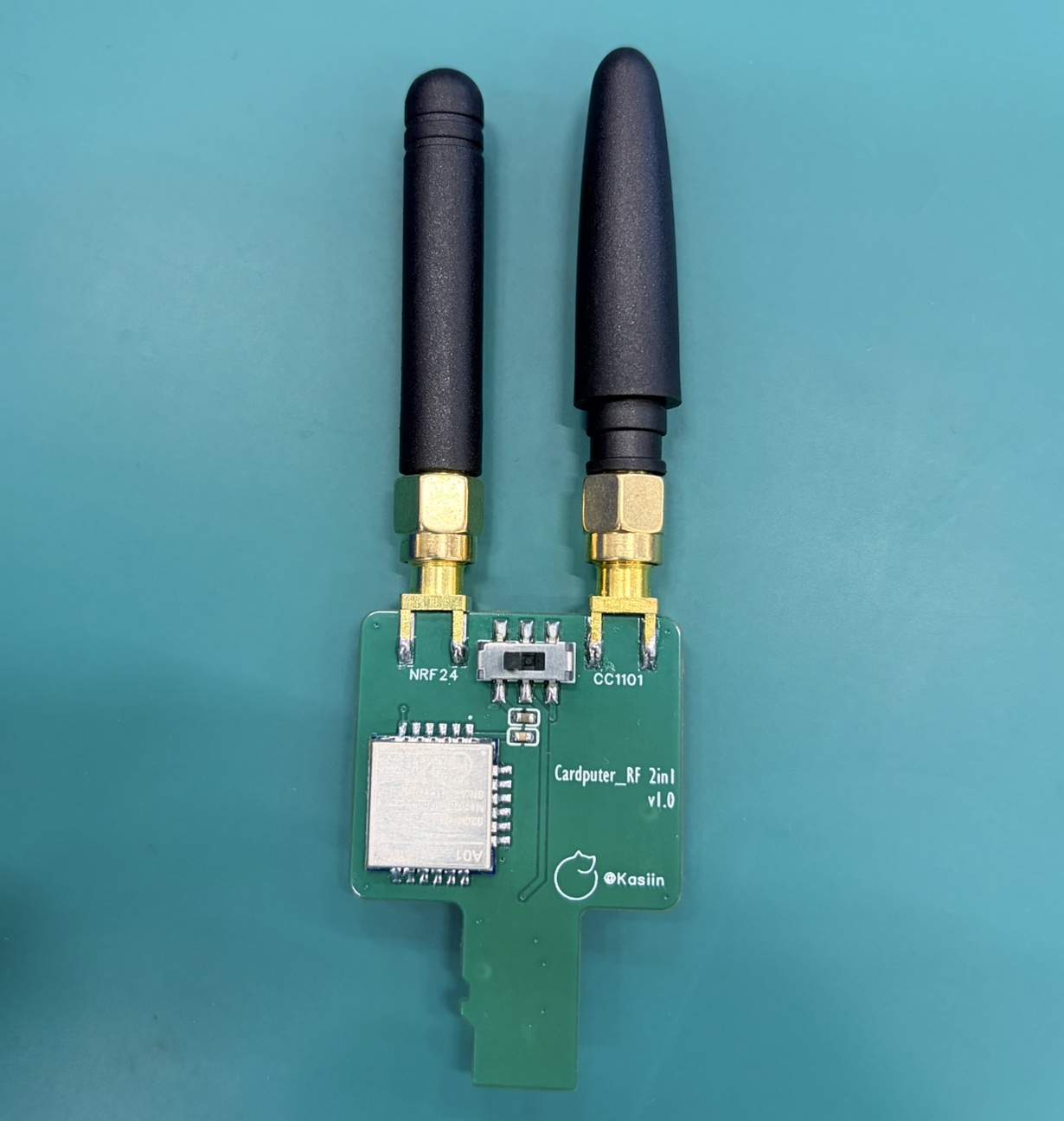
-
Connect the Cardputer to the RF 2-in-1 module using the Groove cable. 用Groove线缆连接Cardputer和RF 2 in 1模块。
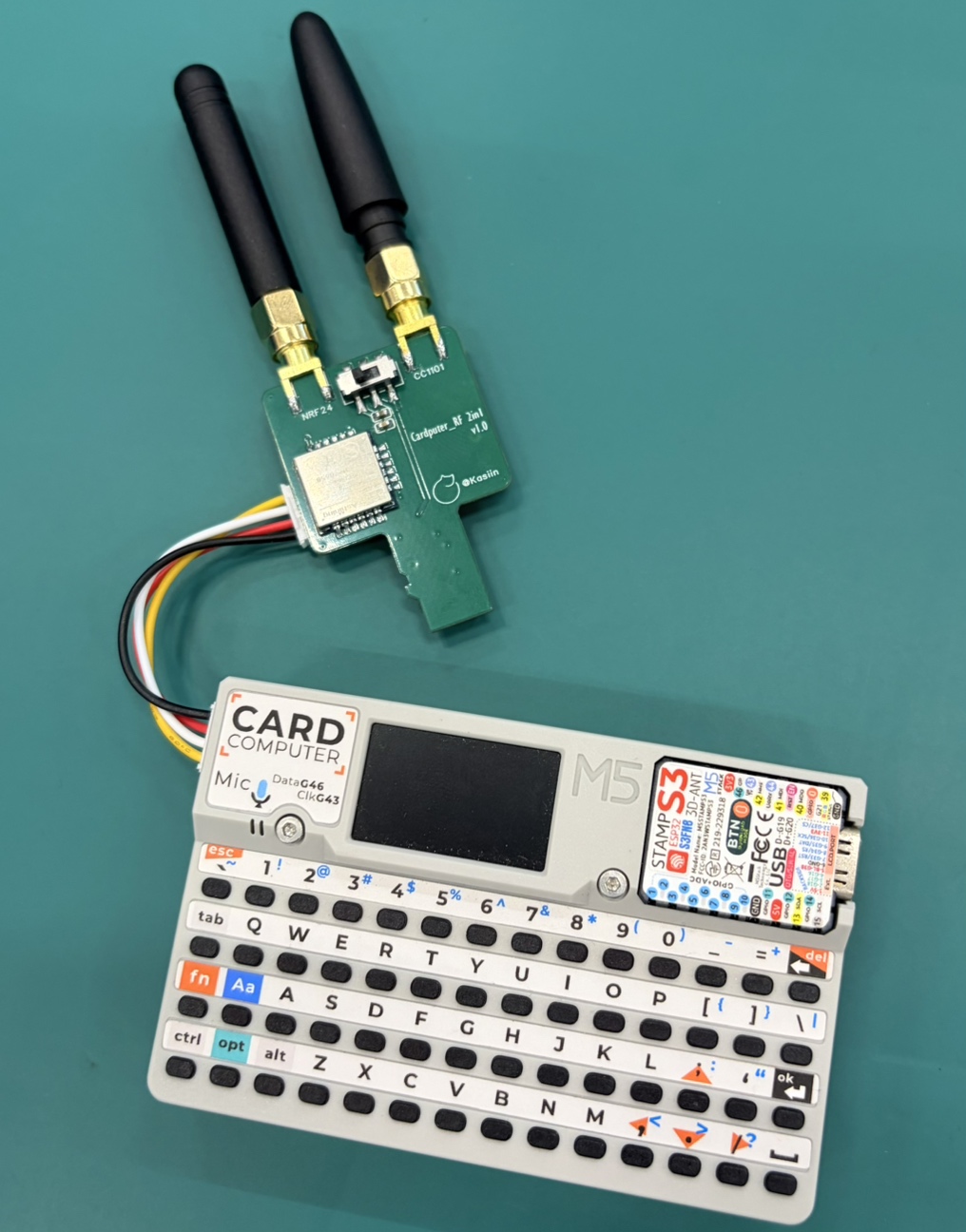
-
Then gently insert the module into the Cardputer's TF card slot. A click can be heard when inserted properly. 将模块轻轻插入Cardputer的TF卡插槽内,插入到位时可以听到咔哒一声。
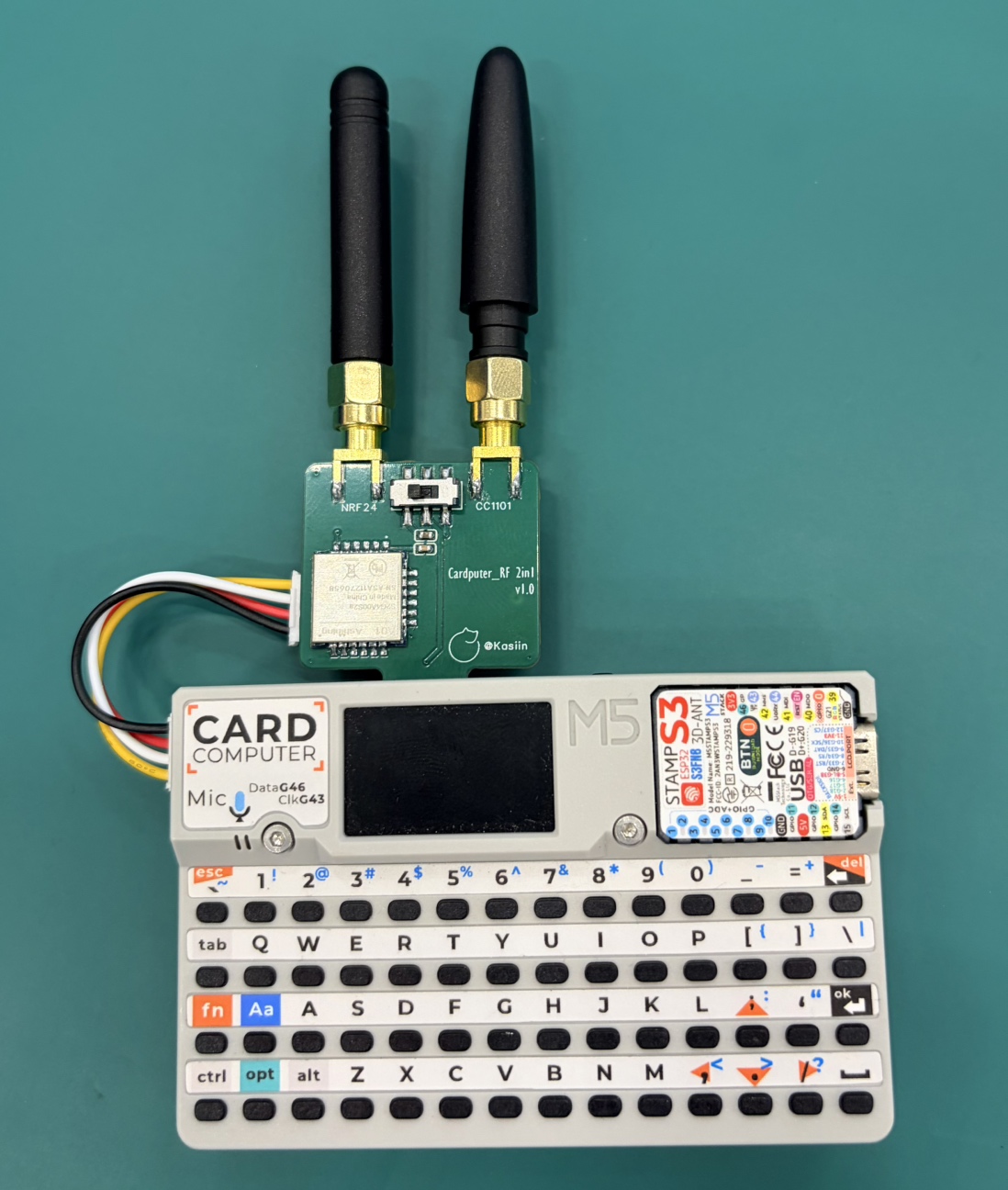
-
When disconnecting after use, gently push the module inward once more and the module will automatically eject. 断开连接时,轻轻向内再插一下模块,模块会自动弹出。
-
Remember never to forcefully pull it out, as this may damage the Cardputer's TF card slot.
请切记不要强行拔出,这样会损坏Cardputer的TF卡槽。
CC1101
- To use the CC1101 in Bruce, turn off your Cardputer,set the switch to CC1101 and connect the module .
将Cardputer关机,模块开关拨到CC1101,插入Cardputer。 - Turn on the device, then navigate to "RF->Config->RF Module" and select "CC1101 on SPI" pics here. 打开设备,然后导航到“RF->Config->RF Module”并选择“CC1101 on SPI”此处为图片。
- If the "CC1101 not found" error message appears, turn off the M5 device, recheck the switch and try again.
如果出现“CC1101未找到”错误消息,请关闭M5设备,重新检查模块开关位置,然后重试。 - If no error is shown, then the CC1101 is initted correctly, and you can use it in the RF menu.
如果没有显示错误,则CC1101已正确初始化,您可以在RF菜单中使用它。 - For this module you can also set a custom frequency in the supported subranges: 300-348 MHZ, 387-464 MHZ and 779-928 MHZ. Setting an empty or invalid frequency will reset to the default 433.92 MHZ. This setting will only affect the receive and jamming features. Transmitting from a sub file will always use the frequency specified inside the file regardless of the user setting.
对于此模块,您还可以在支持的子范围内设置自定义频率:300-348 MHZ、387-464 MHZ和779-928 MHZ。设置空频率或无效频率将重置为默认的433.92 MHZ。此设置只会影响接收和干扰功能。从sub文件传输时,无论用户设置如何,都将始终使用文件中指定的频率。
NRF24
- To use the NRF24 in Bruce, turn off your Cardputer, set the switch to NRF24 and connect the module.
将Cardputer关机,模块开关拨到NRF24,插入到Cardputer。 - Turn on the device, then navigate to "NRF" . 打开设备,然后导航到“NRF”来使用。
- If the "NRF not found" error message appears, turn off the M5 device, recheck the switch and try again.
如果出现“NRF未找到”错误消息,请关闭M5设备,重新检查模块开关位置,然后重试。 - If no error is shown, then the NRF24 is initted correctly, and you can use it in the NRF menu.
如果没有显示错误,则NRF24已正确初始化,您可以在NRF菜单中使用它。
特别声明 / Special Declaration
-
本模块仅为射频模组与主机之间的物理连接模块。
This module serves solely as a physical connection interface between the RF module and the M5stack devices. -
本模块不包含任何软件、驱动程序或固件。
This module does not contain any software, drivers, or firmware. -
本模块不具备任何干扰、拦截或阻止授权无线电通信的功能。
This module does not possess any functions to interfere with, intercept, or block authorized radio communications. -
请用户务必在当地法律法规允许的范围内使用本设备。用户需对其最终用途及操作的合法性承担全部责任。
Users must use this device strictly within the scope permitted by local laws and regulations. The user assumes full responsibility for the legality of its end-use and operation.
Acknowledgments
For more details and information, see Bruce Firmware Wiki.